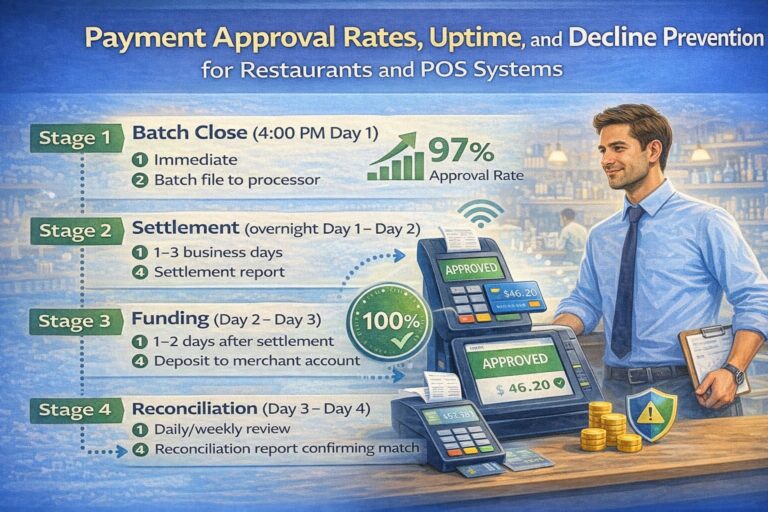
Payment Approval Rates, Uptime, and Decline Prevention for Restaurants and POS Systems
Disclaimer: This guide provides general information about payment processing, approval rates, and POS system management. It does not replace consultation with payment processors, acquiring banks, or compliance specialists. Payment regulations, interchange rates, and processor capabilities vary by region, acquirer, and merchant agreement. Always verify specific requirements with your payment provider and legal/compliance team before implementing changes.
Opening Author Statement
I’ve spent the last decade watching restaurant operators lose revenue quietly—not through theft or spoilage, but through payment failures nobody talks about. A 5–7 percentage point drop in approval rates doesn’t feel like much until you do the math: for a mid-sized chain doing $500K weekly in card sales, that’s $25K–$35K monthly in lost transactions that should have gone through.
The problem isn’t always the restaurant. It’s infrastructure, data quality, and how the payment stack handles stress.
This guide walks you through what actually moves the needle.
“Each percentage point of approval rate improvement is worth roughly 1% of gross payment volume for merchants, though results vary by acquirer quality and transaction mix.” — Payment Industry Analysis, Adyen & Stripe (2024–2026)
Quick Answer: 5 Steps to Boost Approval Rate This Month
If your approval rate is below 90%, here are the actions with the fastest payoff:
- Enable payment uptime monitoring and set alerts for payment uptime monitoring gateway downtime, latency spikes (p95 >500ms), and error rate jumps. Catch failures before customers notice.
- Set up advanced payment platform to 2–3 acquirers with health checks. One processor’s hiccup no longer kills your checkout.
- Analyze your top 5 decline codes by volume. Fix the biggest leak first—often data quality or a single bank’s rules.
- Reduce friction in anti-fraud rules. Replace rigid “block all if” logic with dynamic scoring and targeted 3D Secure 2.0.
- Enrich payment data. Pass AVS, CVV, email, phone, billing address, correct MCC and ECI codes. Banks approve more when they see complete signals.
What Payment Uptime and Approval Rate Actually Mean
Payment uptime and approval rate are the two pillars of payment health. Understand them, measure them, act on them.
Payment Uptime is the percentage of time your payment infrastructure—from the checkout page to the final authorization response—is operational and responding within acceptable latency. A payment gateway can be “up” from a server perspective but still fail customers if it takes 15 seconds to authorize a card.
Approval Rate is the percentage of payment attempts that result in a successful authorization and are ultimately approved.
Formula: (Approved transactions / Valid payment attempts) × 100.
Why approval rate matters: Each percentage point directly correlates to gross payment volume. For a $500K weekly card processor, every 1% improvement in approval rate recovers approximately $5K–$7K in weekly transaction value that would otherwise decline.
Why This Matters to Your Bottom Line
For a restaurant chain processing $500K weekly in card sales:
- At 90% approval rate: ~$50K weekly declines (failed, valid transactions).
- At 85% approval rate: ~$75K weekly declines.
- At 95% approval rate: ~$25K weekly declines.
The difference between 85% and 95% is $50K per week, or $2.6M annually.
Not all of that is recoverable revenue—some customers won’t retry—but typically 40–60% will retry successfully or choose alternative payment methods.
Real money.
Financial Impact Calculation:
- Revenue recovered: 50% × $50K/week × 52 weeks = $1.3M annually
- Typical project cost: $30K–$80K (tools, integration, optimization)
- Payback period: 3–8 weeks
Payment Uptime: How Monitoring and Gateway Reliability Impact Every Transaction
Payment uptime is your system’s heartbeat. When it falters, so does revenue.
What Causes Payment Downtime and Degradation
Payment downtime doesn’t always mean a complete outage. Often it’s latency creep—the system responds, but slowly. Customers see spinners, timeouts trigger, and payment attempts fail even though the network didn’t crash.
Gateway-level problems:
- Code deployments with bugs that increase error rates or connection pools.
- Database query performance degradation under load.
- TLS renegotiation overhead or certificate issues.
- Rate-limiting misconfiguration that blocks legitimate traffic.
Hosting/infrastructure issues:
- Cloud regions experiencing resource exhaustion (CPU, memory, disk I/O).
- Availability zone failures not gracefully handled.
- Load balancer misconfigurations or inadequate connection limits.
- Virtual machine overcommitment (shared hypervisor contention).
Network issues:
- Regional backbone congestion during peak hours.
- DNS resolution failures or slow propagation.
- Packet loss on hops between your data center and payment networks.
- BGP route flaps causing transient packet loss.
Third-party dependencies:
- 3D Secure (3DS) servers timing out (some issuers’ ACS servers are slow).
- Fraud scoring services (MaxMind, Kount, Signifyd) becoming unresponsive.
- Bank webhooks for settlement confirmation hanging.
- KYC/AML providers being unavailable.
Operational issues:
- Maintenance windows without proper traffic draining or failover setup.
- Configuration changes deployed without testing.
- Insufficient monitoring, so problems aren’t caught until customers complain.
How to Measure and Monitor Payment Uptime
Payment uptime is not a single metric; it’s a composition of several:
| Layer | Key Metric | Alert Threshold | What to Do |
|---|---|---|---|
| Frontend (Checkout Page) | Page load time (p95), JS errors, form submission success | p95 >3s or JS errors >0.5% | Check CDN health, investigate client-side errors in logs, consider rollback of recent JS changes |
| API Gateway | 5xx error rate, response time p99, connection errors | 5xx >0.1% sustained, p99 >1s | Check logs for spikes, review recent deployments, failover if gateway provider offers redundancy |
| Payment Processor | Authorization response time (p95, p99), timeout count | p99 >5s or timeout >1% | Contact processor support, check network path, consider switching to backup processor |
| Acquiring Bank | Authorization success rate, decline rate by code | Decline rate >8% vs. baseline | Consult bank; may indicate issuer network issues or fraud detection changes |
| 3D Secure (3DS) Server | ACS response time, timeout count | p95 >4s or timeout >2% | Contact 3DS provider (Visa, Mastercard, or vendor); consider fallback to frictionless flow |
Real Example: How Latency Killed Approvals
A restaurant chain using Oracle MICROS Simphony POS with an integrated payment gateway noticed their approval rate dropping from 93% to 87% over two weeks. No system crash, no alerts firing—but checkout times crept from 3 seconds to 12 seconds, and timeouts spiked.
Investigation revealed: their payment gateway provider had updated TLS libraries on backend servers, introducing unexpected renegotiation overhead. Each authorization request now took 8–10 seconds instead of 2–3. By the time the response came back, many customers had cancelled or the timeout window had expired.
Action: They switched to a backup gateway (configured but dormant) and asked the provider to roll back. Approval rate recovered to 92% within hours.
Lesson: Payment uptime includes latency. Monitor p95 and p99 response times, not just “is it up.”
Approval Rate vs. Authorization Rate: Understanding the Critical Difference
These terms are often confused, but they measure different things. If you don’t distinguish between them, you’ll misdiagnose problems.
Precise Definitions
Authorization Rate = (Approved authorizations / Total authorization requests sent to the bank) × 100
This is purely the bank’s decision. It doesn’t include declined transactions from your own fraud controls, customer input errors, or form validation failures. It’s what the issuer said “yes” to.
Approval Rate = (Approved transactions after all checks / Valid payment attempts) × 100
This includes:
- Successful authorization from the bank, plus
- Your own fraud checks (if you use internal anti-fraud rules), plus
- Successful settlement/capture.
In other words:
- Authorization Rate = bank only.
- Approval Rate = bank + your rules + settlement.
Example Scenario (10,000 transactions)
- 10,000 customers initiate payment.
- 500 fill out form incorrectly (invalid card number, expired date). → 9,500 sent to bank.
- Bank authorizes 8,700. → 87% Authorization Rate.
- Your fraud system flags 150 of those 8,700 as risky and declines them. → 8,550 approved.
- Of 8,550, 50 fail at settlement/capture. → 8,500 finally cleared.
- 8,500 / 10,000 = 85% Approval Rate.
Your authorization rate (87%) looks decent, but your approval rate (85%) is lower because your downstream fraud logic and settlement failures are included.
Why the Distinction Matters
If you only look at authorization rate, you might think “the bank is approving 87%, so my approval rate should be 87%.” But you’re missing:
- Customer data entry errors (your frontend validation should catch these before hitting the bank).
- Your own fraud rules being too strict.
- Settlement/capture failures (less common but they do happen).
Best practice: Track both. Authorization rate tells you how well you’re presenting data to banks. Approval rate tells you the true business outcome. See our pricing questions for frequently asked metrics and benchmarks.
Payment Timeout Errors and Network Latency: The Hidden Revenue Killer
Here’s a scenario many restaurants don’t realize is happening:
A customer swipes a card at the register. POS sends the transaction to your payment gateway. The gateway routes it through the network to the bank. Somewhere between your server and the bank’s response, latency creeps up. The checkout screen spins for 8 seconds. The customer gets impatient and taps “retry.”
Now the same transaction has been sent twice.
The first request was actually approved by the bank, but the response took so long that your system timed out before receiving it. The second request comes through and gets declined because the funds have already been reserved.
Net result: customer sees a decline, transaction fails, you investigate and find two authorization attempts with different outcomes.
Revenue lost, customer frustration, support ticket.
How Network Latency Causes Timeout Errors
Payment timeout occurs when the time between sending an authorization request and receiving a response exceeds a preset limit (typically 30–60 seconds, depending on the gateway).
Network latency is cumulative. Here’s what a single payment request encounters:
- Customer’s device → your POS terminal or web browser: 10–100ms (WiFi is slower than wired).
- POS/browser → your payment gateway: 20–50ms (Internet hops).
- Gateway → Acquiring bank’s processor: 30–100ms.
- Processor → Card network (Visa/Mastercard): 50–150ms.
- Network → Issuing bank: 50–200ms (varies by bank).
- Issuing bank → response back through the chain: same latency in reverse.
Total round-trip latency: 200–1000ms in normal conditions.
But add congestion, DNS delays, or a slow issuer, and that becomes 2–10 seconds. Add in 3D Secure authentication (issuer’s access control server takes time), and you’re at 5–15 seconds for a single authorization.
If your timeout threshold is 30 seconds and the average authorization takes 8 seconds, you have a 22-second buffer. But during peak hours (Friday 6–8 PM for restaurants), that buffer shrinks. 3DS2 ACS servers get slower. Your payment gateway experiences a traffic spike. Suddenly half your authorizations are timing out at the 30-second mark, even though they’re actually going through.
Real Example: A Busy Friday Night
A restaurant chain runs Oracle MICROS RES 3700 POS with a standard payment gateway. Friday evenings are their peak: 40–60 transactions per minute across 15 terminals.
At 6:47 PM, their payment processor is hit with a DDoS attack (not on them directly, but on the processor’s infrastructure). Latency jumps from 1.5 seconds to 12 seconds. Their gateway’s default timeout is 45 seconds, so authorizations still complete, but:
- Customers see slow spinners.
- Staff gets impatient and taps retry.
- Duplicate transactions pile up.
- Some transactions hit the timeout wall and fail.
- Approval rate drops from 94% to 78%.
What saved them: They had set up alerts for latency p95 >4 seconds. The alert fired at 6:49 PM. By 6:52 PM, they’d failed over to a backup processor (configured but inactive), rerouting new transactions. By 7:15 PM, the original processor recovered, but the damage was already done—$8K in failed transactions.
How to Reduce Timeout Errors
- Optimize network hops. Use a payment gateway and acquiring bank geographically close to your restaurants.
- Monitor latency in real time. Set alerts for p95 >500ms and p99 >1000ms. Don’t wait for customer complaints.
- Configure intelligent retries with backoff. If a request times out, don’t immediately retry the same path. Wait 2–5 seconds, then send to a different processor if available.
- Use keep-alive for persistent connections. Reduce TCP handshake overhead on repeat requests.
- Implement fallback routing. Have a secondary processor pre-configured and tested. Switch automatically if primary latency exceeds threshold.
- Reduce 3DS friction. Use 3D Secure 2.0 (frictionless flow) for low-risk transactions; only challenge when needed.
Why Transactions Get Declined: The Complete Taxonomy of Authorization Decline Reasons
Declined transactions have many parents. Understanding which ones you can influence is key.
Client-Side Declines (Customer’s Card or Behavior)
Insufficient Funds (ISO Code 51)
- Customer’s account doesn’t have enough balance.
- More common in debit than credit.
- You can’t fix this, but you can:
- Offer alternative payment methods (mobile wallet, different card).
- For subscriptions, implement smart retry (try again in 2–3 days).
- Provide clear messaging: “Card declined. Check balance and retry.”
Expired Card (ISO Code 54)
- Card expiration date has passed.
- Customer’s bank likely already sent a replacement.
- Solution: Implement Real-Time Account Updater (Visa Account Updater, Mastercard Account Updater). For recurring payments, query the updater to get the new card number before charging. This prevents recurring billing failures.
Invalid Card Number (ISO Code 14)
- Customer mistyped the card number.
- Luhn check validation on your POS can catch this before sending to bank (reduces gateway load and latency).
- Solution: Client-side validation + clear error message.
Restricted Card / Cardholder Restrictions (ISO Codes 57, 62)
- Card is reported stolen or lost.
- Cardholder put travel alerts or spending limits.
- Card issuer blocked certain merchant categories (e.g., card blocked for online purchases).
- You can’t override this, but offer alternative payment method.
Bank/Issuer-Side Declines (Issuer’s Risk Assessment)
Do Not Honor (ISO Code 05)
- Generic “bank says no” without detail.
- Indicates issuer’s internal rule triggered (could be anything: risk score, fraud rule, closed account, legal hold).
- Solutions:
- Try again later (issuer may reconsider).
- Switch to a different acquiring bank if available; different banks have different issuer relationships and routing preferences.
- Enrich transaction data (pass AVS, full address, CVV) and retry with smarter routing.
Suspected Fraud (ISO Code 59)
- Issuer’s fraud system flagged the transaction as risky.
- Often triggered by:
- Mismatched billing/shipping address.
- IP address doesn’t match card’s home country.
- Large transaction vs. typical spending pattern.
- Too many transactions in short time.
- Card used in suspicious merchant category (e.g., crypto, gambling).
Solutions:
- Pass full customer device data (IP, user agent, device fingerprint).
- Use Address Verification System (AVS): match billing address with card’s registered address.
- Implement 3D Secure 2.0: issuer gets direct authentication signal from cardholder, increasing confidence.
- For recurring payments, use tokenization; repeat transactions from known cardholder are less risky.
- For restaurants, ensure MCC (merchant category code) is correct (5812 for restaurants); wrong MCC confuses issuer’s fraud rules.
Calling Card (ISO Code 04 / 04-Pick Up Card)
- Card is on issuer’s hotlist (typically stolen/lost).
- Action: Don’t attempt retry. Inform customer and suggest alternate payment.
Your Own System Issues (Acquirer/Gateway/Merchant Rules)
Overly Strict Anti-Fraud Rules
- Your fraud platform (or your own rules) rejected the transaction.
- Many merchants use default fraud rules that are too aggressive, especially for:
- Large orders.
- Unusual times of day.
- New customers.
- International transactions.
Solutions:
- Audit your fraud rules. Calculate false decline rate (good transactions rejected). If >0.5%, loosen rules.
- Use dynamic risk scoring (Signifyd, Sift, MaxMind) instead of rigid thresholds.
- Implement 3DS2 for medium-risk transactions instead of auto-declining; let issuer challenge if needed.
- For restaurants, exempt staff/internal purchases from fraud scoring.
Incorrect Merchant Category Code (MCC) or Industry Code
- You configured your merchant account for “5812 – Restaurant” but are sending gas station transactions (5541), or vice versa.
- Issuer’s rules for “restaurant” are different from other MCC; wrong code confuses authorization logic.
Solutions:
- Verify MCC with your acquiring bank.
- If you have multiple business locations with different MCC codes, ensure your POS system sends the correct code per transaction.
Data Quality Issues
- Missing AVS (address match) data.
- Missing CVV.
- Transaction amount is wrong or blank.
- Merchant ID or terminal ID is incorrect.
Solutions:
- Enrich every transaction with complete data before sending to bank:
- Billing address (street, city, state, ZIP).
- CVV (CVV2 for card-present, CVC for online).
- Cardholder name exactly as it appears on card.
- For POS systems like Oracle MICROS, ensure integration with payment gateway is passing all required fields. Missing AVS is a common configuration mistake.
Network and Processing Issues
Processing Error / Acquirer Timeout (ISO Codes 68, 34)
- Your acquiring bank’s system experienced a glitch.
- Request got lost, database error, or bank-side timeout.
Solutions:
- Implement retry logic with different processor/routing if available.
- Set up monitoring to detect when one bank is having issues; failover to secondary.
Rate Limiting / Too Many Requests
- Bank or processor has limits on requests per second or per minute from your merchant ID.
- During peak hours, legitimate transactions get rejected.
Solutions:
- Work with your acquiring bank to increase limits.
- Implement request queuing on your side; if bank can only handle 100 req/sec, don’t send 150.
- For restaurant chains, consider distributed processing: don’t route all terminals through a single merchant ID.
Authorization Decline Codes: Reference and Actions
Below is a table of the most common ISO 8583 response codes and what to do when you encounter them.
| Code | Name | Root Cause | Is It Retryable? | What You Should Do |
|---|---|---|---|---|
| 05 | Do Not Honor | Generic bank decline, internal rule triggered | Yes, with caution | Enrich data (AVS, CVV, address), try alternate routing/bank; if persistent, inform customer |
| 14 | Invalid Card Number | Card number failed Luhn check or is fake | No | Client-side validation; ask customer to re-enter or use different card |
| 51 | Insufficient Funds | Account balance too low | No, immediately | Suggest partial payment, alternative card, or wallet method |
| 54 | Expired Card | Card expiration date passed | No (for that card) | Offer Real-Time Account Updater; if available, use updated card data; else suggest new card |
| 57 | Transaction Not Permitted | Cardholder or card issuer blocked transaction type | No | Ask customer for permission to enable transaction type or use different card |
| 59 | Suspected Fraud | Issuer’s fraud system flagged it | Yes, with strategy | Pass full data (device info, AVS, CVV); use 3DS2; try alternate routing; retry after 1–2 hours |
| 61 | Exceeds Limit | Card daily/monthly limit exceeded | No, immediately | Suggest retry after daily reset or use different card |
| 62 | Card Restricted | Card restricted for certain uses (online, international) | No | Ask customer to enable transaction type with bank or use different card |
| 68 | Response Received Too Late (Timeout) | Processor/bank delayed response past gateway timeout | Yes | Immediate retry; if repeated, failover to backup processor |
| 76 | Invalid Account | Account number doesn’t match bank’s records | No | Ask customer to verify account; possibly account was closed |
| 83 | Cannot Verify PIN / No PIN Entered | PIN mismatch (debit) or PIN pad error | No | Retry with correct PIN or use credit card instead |
| 91 | Issuer or Switch Inoperative | Bank/network system down | Yes, with patience | Retry after 30–60 seconds; failover if available; inform customer of temporary issue |
| 96 | System Malfunction / System Error | Your gateway, processor, or network error | Yes, after pause | Check your system logs; retry; failover if pattern continues |
Declined Transaction Spikes: How to Detect and Respond
A spike in declines (sudden 10%+ jump in decline rate in an hour) is usually a sign of a larger problem.
Common causes:
- Payment gateway downtime or degradation.
- Acquiring bank or card network experiencing issues.
- One issuer (e.g., Bank of America) had an outage.
- Fraudulent attack targeting your merchant account; bank temporarily blocking.
- Your code deployment introduced a bug.
- Your payment form stopped passing a required field (e.g., stopped sending AVS data).
How to respond:
- Alert within 5 minutes. Set up monitoring that triggers if decline rate jumps >10% vs. rolling 1-hour average.
- Diagnose within 10 minutes. Check:
- Payment gateway status page.
- Your recent deployments (did code change in last hour?).
- Sample declined transaction logs (what decline codes are spiking?).
- Bank/network status (contact your acquiring bank if you suspect their issue).
- Failover or rollback within 15 minutes.
- If gateway issue: failover to backup processor.
- If your code: rollback the latest deployment.
- If bank issue: contact them; if they can’t help, failover to secondary bank.
- Communicate within 20 minutes. Update your status page; notify support team so they can manage customer calls.
How to Improve Approval Rate: Practical Strategies with Real-World Impact
Not all strategies are equal. Some work immediately; others take weeks. Here’s what actually moves the needle, in order of impact and implementation complexity.
1. Analyze Your Top 5 Decline Codes (Start Here: 1 Week, +1–2% Lift)
Before you change anything, you need data.
Action:
- Pull declined transaction logs for the last 30 days.
- Group by ISO response code (05, 51, 54, 59, etc.).
- Calculate % of all declines for each code.
Example output:
- Code 59 (Suspected Fraud): 35% of declines
- Code 05 (Do Not Honor): 25% of declines
- Code 51 (Insufficient Funds): 20% of declines
- Code 54 (Expired Card): 12% of declines
- Code 91 (Issuer Inoperative): 8% of declines
Next steps:
- For Code 59 (Fraud): improve data quality (pass AVS, CVV, device info) and implement 3DS2.
- For Code 05 (Do Not Honor): test alternate routing to different acquiring bank.
- For Code 51 (Insufficient Funds): add wallet options (Apple Pay, Google Pay) as fallback.
- For Code 54 (Expired): implement Account Updater service.
- For Code 91 (Issuer down): that one you can’t fix, but monitor issuer status; it’s typically temporary.
Impact: 15–30% reduction in total declines by addressing the top 2–3 codes. This is the fastest win.
2. Implement Smart Routing to Multiple Acquirers (6–8 Weeks Deployment, +2–5% Lift)
If you’re routing all transactions through a single acquiring bank, you’re leaving money on the table.
Why it works:
- Different banks have different relationships with different issuers.
- A transaction declined by Bank A might be approved by Bank B because Bank B has a better relationship with that issuer or uses different fraud rules.
- Different banks have different fees; routing to the lowest-cost bank per transaction saves money.
How to set it up:
- Contract with 2–3 acquiring banks. Start with your current bank + 1–2 alternatives (Shift4, Chase, Global Payments, FIS, etc.).
- Implement a advanced payment platform (or configure your gateway) to route each transaction intelligently:
- Route to Bank A first (lowest cost).
- If Bank A times out or declines, failover to Bank B.
- Track approval rates and costs per bank/issuer; continuously optimize routing rules.
Real-world example:
A restaurant chain with MICROS POS was using one acquiring bank. Their approval rate was 88%. They added a secondary bank (different routing rules, better issuer relationships). Within 2 weeks, they routed 40% of previously declined transactions through the secondary bank and recovered a 3% approval rate lift (88% → 91%). Net gain: +1.5% after accounting for slightly higher fees on secondary bank.
Implementation effort: 4–8 weeks (contract, integration, testing, monitoring).
Considerations for POS environments:
- Ensure your POS terminal or gateway supports multiple MID/routing configurations.
- Test failover scenarios thoroughly before going live.
- Monitor settlement and reconciliation across multiple acquirers.
- Plan for manual override capability if automatic failover fails.
3. Enrich Payment Data: AVS, CVV, Full Address, Device Info (1–2 Weeks, +1–3% Lift)
Most declines caused by code 59 (Suspected Fraud) come from incomplete transaction data.
What to pass:
- Cardholder name (exactly as on card).
- Billing address (street, city, state, ZIP code).
- CVV (card security code on back of card).
- Email and phone (customer’s contact).
- Correct MCC (merchant category code; for you, it’s 5812 for restaurants).
- Device info (for online payments: IP address, user agent, device fingerprint).
In POS systems like Oracle MICROS:
- Ensure the payment terminal is passing full cardholder name and address.
- Check that MCC is set correctly in terminal config (not 5411 for groceries or 6211 for brokers, but 5812 for restaurants).
- If using integrated payments, verify the gateway integration is not stripping fields.
For online / delivery orders:
- Capture billing address during checkout (not just shipping address).
- Pass email and phone.
- Implement device fingerprinting (Sift, Signifyd, MaxMind) to send issuer a risk assessment.
Impact: 1–3% approval rate lift. Code 59 declines drop by 20–30% when data is complete.
4. Implement Real-Time Account Updater (VAU) (2–4 Weeks, +3–8% for Recurring Revenue)
For restaurants with subscription or recurring revenue models (e.g., meal prep, membership), this is critical.
How it works:
- Customer’s card expires or gets replaced by bank.
- Card network (Visa, Mastercard) automatically updates the new card number.
- Your payment system queries the Account Updater before attempting charge.
- Instead of the old card (now declined), you get the new card number and retry immediately.
Platforms offering this:
- Adyen, Stripe, Square, Braintree (all offer VAU/network tokenization).
For restaurants:
- Reduces recurring payment failures from expired cards.
- Lowers churn (customer doesn’t get “payment method declined” emails; you silently update and charge).
Implementation: 2–4 weeks (API integration with VAU provider).
Impact: For recurring revenue, 3–8% reduction in failed retry attempts.
5. Implement Intelligent Retries with Backoff (1–2 Weeks, +1–2% Lift)
Not all declines are permanent. Some are transient (issuer was slow, network blip, temporary limit hit).
How to retry intelligently:
- Don’t retry immediately. Wait 2–5 seconds (gives issuer/network time to recover).
- Don’t retry the same path. If Bank A declined, try Bank B next.
- Use exponential backoff. First retry after 5 sec, second after 15 sec, third after 60 sec.
- Respect timezone. For code 05 (Do Not Honor, issuer internal rule), retry during issuer’s business hours (if known).
- Cap retries at 3. More than 3 attempts and you risk duplicate authorizations.
POS example:
- Customer’s card is declined with code 05 at 11:47 PM on Friday.
- Terminal immediately retries with backup bank. Still declined.
- Terminal retries a second time 15 seconds later. Approved.
- Customer pays, receipt prints, transaction complete.
Modern gateways like Stripe, Adyen, and Checkout.com handle this automatically. Older POS systems like MICROS need manual integration or a middleware layer to add retry logic.
Implementation: 1–2 weeks (if using modern gateway; longer if custom).
Impact: 1–2% approval rate lift (recovers transient declines).
6. Implement 3D Secure 2.0 (3DS2) Strategically (2–4 Weeks, +1–2% for Online/Phone)
3D Secure is authentication that adds a step to checkout: customer confirms identity to their bank. It can reduce fraud, but it also increases friction and abandonment.
Modern approach (3D Secure 2.0):
- Frictionless flow: For low-risk transactions, 3DS2 authenticates silently in the background (no extra screen for customer).
- Challenge flow: For medium/high-risk transactions, customer sees authentication challenge (usually a 2FA SMS or app notification).
Why it helps approval rate:
- Issuer gets direct proof cardholder authorized the transaction.
- Issuer is more confident and approves more transactions (code 59 declines drop).
- Merchant is protected from chargebacks (issuer can’t dispute if 3DS2 authenticated).
For restaurants:
- Use 3DS2 for online orders (delivery, catering).
- Skip 3DS2 for in-store card-present transactions (already has EMV chip/PIN).
- For card-not-present phone orders, use dynamic risk scoring to decide: low-risk customers skip 3DS2, high-risk get 3DS2.
Implementation: 2–4 weeks (requires gateway upgrade and issuer coordination).
Expected impact: 1–2% approval rate lift for online/phone orders; no impact on in-store.
7. Add Alternative Payment Methods (Wallets, Buy-Now-Pay-Later) (1–2 Weeks, +1–2% Lift)
When credit/debit declines, customers can pay with wallet or BNPL.
High-performing methods:
- Apple Pay and Google Pay: Stored card data, lower friction, issuer sees network token (more approvals). 2–3% conversion lift.
- PayPal: Separate funding source (customer’s PayPal balance). Adds 1–2% conversion for web; less used for in-store.
- Affirm, Afterpay: BNPL. Customers under 25 prefer this; adds 3–5% conversion for certain demographics. Higher fees (5–8% vs. 2.5% for card).
For restaurants:
- If online ordering or delivery: add Apple Pay, Google Pay, PayPal.
- If BNPL is relevant (e.g., catering, larger orders): consider Affirm or Zip.
- For in-store: enable NFC payments (Apple Pay, Google Pay, contactless card). Staff must accept; requires terminal with NFC.
Implementation: 1–2 weeks (gateway integration).
Impact: 1–2% approval rate lift (converts declined cards to approved wallet payments).
8. Reduce Friction in Your Anti-Fraud Rules (1–2 Weeks, +1–2% Lift)
Many restaurants use internal fraud rules that are too aggressive.
Common over-aggressive rules:
- “Block all transactions >$500.” (Blocks legitimate catering orders.)
- “Block all international transactions.” (Blocks legitimate travel purchases.)
- “Block all transactions from new customers.” (Blocks real new business.)
- “Block transactions from high-risk countries.” (Over-inclusive list, misses legitimate customers.)
Better approach (dynamic scoring):
- Instead of “block if,” use risk score: 0–100.
- Approve score <30. Allow score 30–70 with 3DS2. Block score >70.
- Continuously update score rules based on real fraud data you’re seeing, not vendor defaults.
Tools:
- Signifyd, Sift, Kount provide dynamic scoring. You can also build your own rules in most gateways.
Action:
- Pull your false decline rate (legitimate transactions blocked by your own rules).
- If >0.5%, loosen rules or switch to dynamic scoring.
Impact: 1–2% approval rate lift by reducing false declines.
9. Optimize Payment Form UX and Validation (1 Week, +0.5–1% Lift)
Lots of declines come from customer input errors (typos, expired dates).
Client-side fixes:
- Card number field: Use Luhn validation to catch invalid numbers before sending to bank. Show live feedback: “Invalid card number” in red.
- Expiration date field: Show helpful mask (MM/YY) and prevent entry of past dates.
- CVV field: Show CVV help text (“3-4 digit code on back of card”).
- Billing address: Auto-fill from customer profile if possible; validate ZIP code format.
In-store (MICROS POS):
- Ensure card entry screen is clear and uncluttered.
- Train staff to read cardholder name and expiration date back to customer before processing.
Impact: 0.5–1% approval rate lift by preventing obvious data entry errors.
Restaurant-Specific Payment Flows: Handling Tips, Pre-Auth, Offline Mode, and Split Tender
For restaurant operators, standard payment advice doesn’t always apply. Your POS handles scenarios—tips, partial authorizations, offline transactions—that e-commerce systems never encounter.
Best Practices for Tips and Tip Adjust
The Challenge:
- Customer pays for $80 meal. Card is authorized for $80.
- Waiter brings check. Customer wants to add 20% tip ($16).
- POS must adjust transaction upward to $96.
- Issuer may decline if authorization ceiling is exceeded or if interval between original auth and adjustment is too long.
Best Practice:
- Use incremental authorization (if processor and card network support it).
- Original authorization: $80 at 1 PM.
- Tip adjustment requested: +$16 at 1:30 PM.
- Send incremental auth request (not full $96 reauth).
- Issuer is more likely to approve small increment vs. re-authorizing full amount.
- Safe window: Keep adjust window ≤60 minutes from original authorization. Beyond that, issuer confidence drops.
- Fallback: If incremental fails, capture at original amount ($80) and create separate charge for tip ($16). Two transactions, but both more likely to succeed.
POS Configuration (MICROS):
- Set terminal config: “Allow tip adjust within 60 minutes” and “Tip adjust limit: $X” (typically 25–30% of original transaction).
- Train staff: get tip amount before customer leaves register. Don’t try to adjust 2 hours later.
Pre-Authorization and Bar Tabs
The Challenge:
- Customer opens a bar tab. You pre-authorize $200 to hold the card.
- Customer orders drinks over 45 minutes. Total: $87.
- You capture final amount ($87). Issuer must release hold on unused funds ($113).
Best Practice:
- Pre-authorize at reasonable ceiling (typically 1.5–2x of expected spend).
- For bar tab: pre-auth $200 if you expect $80–$120 spend. Not $1000.
- Issuer holds funds; cardholder sees hold on their balance even though it’s not charged yet.
- Capture quickly once bill is closed.
- Ideal: capture within 30 minutes of pre-auth.
- Maximum: capture within 7 days of pre-auth (beyond 7 days, issuer may decline capture).
- Release unused authorization.
- If customer leaves without ordering more, release the hold immediately.
- Issuer then releases the funds back to cardholder’s available balance (usually 24–48 hours).
POS Configuration (MICROS):
- Set close-out schedule: auto-capture all pre-auths older than 4 hours if not manually closed.
- Set pre-auth timeout: flag any pre-auth older than 7 days for manual review.
Partial Authorization and Split Tender
The Challenge:
- Customer’s card limit is $150.
- Bill is $200.
- Issuer can only approve $150 on this card.
- You need to capture $150 and ask for second payment method for remaining $50.
Best Practice:
- Support partial authorization (if your POS and processor support it).
- POS sends authorization request for $200.
- Processor responds: “Approved $150 (partial), declined for remaining $50.”
- POS prompts staff: “$150 approved. Request second payment for $50.”
- Customer provides another card or cash.
- Fall back to split manually if processor doesn’t support partial auth.
- Auth for $150 on card 1 → Approved.
- Ask customer for second payment method for $50 → Process separately.
POS Configuration (MICROS):
- Enable “Partial authorization support” in payment terminal settings.
- Train staff: when partial approval occurs, explain to customer, don’t force full reauth on same card.
Offline Mode and Floor Limits
The Challenge:
- During network outage, POS can’t reach payment processor.
- Customers still want to eat and pay.
- You need to process transactions offline and capture them later when network returns.
Best Practice:
- Set floor limits (max transaction amount you’ll approve offline).
- Example: $100 floor limit. Transactions ≤$100 go offline; >$100 require online auth.
- Reduces fraud risk (prevents someone using stolen card for $500 offline purchase).
- Capture offline transactions within 24 hours once network is restored.
- Process as “offline capture” or “delayed capture” to processor.
- Issuer will approve if cardholder has sufficient funds (usually does, since offline time is short).
- Implement card velocity checks (if POS supports).
- Block card if same card has 5 offline transactions in last hour (possible fraud indicator).
POS Configuration (MICROS):
- Set floor limit: $100 (or your comfort level).
- Enable offline mode in terminal.
- Schedule daily settlement to ensure offline transactions are captured.
Auto-Close and Incremental Capture
The Challenge:
- You pre-auth $200 for a table.
- Waiter takes 3 separate orders over time (appetizer, entrée, dessert).
- Each item needs to be added to the bill.
- You need to capture incrementally or hold and release unused funds.
Best Practice:
- Use incremental capture (or separate line-item authorizations).
- If processor supports: send incremental captures as items are ordered.
- If not supported: use separate authorizations for each item, sum them at close.
- Auto-close after X minutes of inactivity.
- Example: if no new items added in 30 minutes, auto-close the pre-auth and capture final amount.
- Prevents “stuck” pre-auths that linger for hours.
POS Configuration (MICROS):
- Enable “Auto-close pre-auth after 30 minutes inactivity.”
- Enable “Incremental capture” if available.
- Set “Max pre-auth duration: 4 hours” (don’t let tabs run all night).
Benchmarks and Context: What Counts as “Good”
Approval rates vary by industry, region, and merchant maturity. Here’s what realistic targets look like:
| Segment | Typical Approval Rate | Notes |
|---|---|---|
| E-commerce (US, card-present equiv.) | 92–95% | Best-in-class with 3DS2 and smart routing; industry average 87–90% |
| E-commerce (International) | 80–88% | More fraud risk, more declines; cross-border friction |
| SaaS / Recurring (US) | 88–93% | Account Updater helps; lower churn |
| Restaurants (in-store POS) | 94–97% | Chip + PIN reduces fraud; simpler auth |
| Restaurants (online/delivery) | 85–92% | Card-not-present; more fraud risk |
| Buy-Now-Pay-Later | 85–95% | BNPL providers manage underwriting; variable |
| Travel / Airlines | 88–94% | High-value orders; more fraud scrutiny |
Regional Differences
- North America (US/Canada): 88–95% (mature payments, good network coverage).
- Europe (EU/UK): 85–92% (local acquiring helps; PSD2 SCA adds friction for some payments).
- Latin America: 75–85% (less mature infrastructure, more fraud, higher decline rates from issuers).
- Asia-Pacific: 80–90% (varies by country; Japan/Singapore high, India/Philippines lower).
Key Context
“Good” approval rate depends on:
- Merchant maturity: New merchants 80–85%; established 90%+.
- Payment method: Card 88–92%; wallet/BNPL 93–97%; local methods vary.
- Customer base: Domestic 92%+; international 85–90%.
- Fraud risk profile: Low-risk verticals 95%+; high-risk (crypto, gambling) 75–80%.
Don’t chase 100%. That’s unrealistic and economically dumb. Target 90%+ for your segment, then measure improvement over time. A 2–3% lift year-over-year is excellent.
Tools and Technologies for Managing Approval Rates
Your approval rate depends on three components: data, routing logic, and monitoring. Here’s what’s available.
| Category | Function | Impact on Approval | Examples (2026) |
|---|---|---|---|
| Payment Orchestrators | Route transactions across acquirers; smart retry; fallback logic | +2–5% via smart routing & retries | Stripe Payment Orchestration, Adyen, Checkout.com, Nuvei |
| Anti-Fraud Platforms | Dynamic risk scoring, 3DS2 orchestration, chargeback prevention | +1–3% via reduced false declines; fraud reduction | Signifyd, Sift, MaxMind, Kount |
| Account Updater / VAU | Real-time card updates for recurring payments | +3–8% for recurring revenue; churn reduction | Visa Account Updater, Mastercard, Adyen Real-Time VAU |
| Analytics Platforms | Track declines by code, issuer, route; real-time dashboards | Enables diagnosis & optimization | Stripe Analytics, Adyen Analytics, Signifyd Reports |
| 3DS2 Providers | 3D Secure authentication; frictionless + challenge flows | +1–2% online; fraud reduction | Visa, Mastercard, ACS vendors |
| Data Enrichment Services | Add Level 2/3 data, MCC optimization, billing entity data | +0.5–1% via better issuer signals | Worldpay, Global Payments, specialized vendors |
Monitoring Payment Uptime: Real-Time Health Checks
Payment uptime isn’t a binary “up or down” metric. You need continuous monitoring of latency, error rates, and timeouts.
Essential Metrics to Track
Real-time:
- API response time p95, p99 (percentiles, not averages). Alert if p99 >1000ms.
- Error rate (5xx, timeouts) per gateway / acquiring bank. Alert if >0.5%.
- Transaction success rate (approved / submitted). Alert if <98%.
Hourly:
- Average latency by bank/route. Spot which banks are slow.
- Decline rate by code. Spike detection.
- Authorization rate vs. approval rate. Spot if your fraud system is over-blocking.
Daily/Weekly:
- Approval rate trend. Is it improving? Degrading?
- Chargeback rate. Spot fraud trends.
- Failed settlement count. Spot if processor is having issues post-authorization.
Sample Monitoring Setup
| Monitoring Layer | Metric | Threshold / Target |
|---|---|---|
| Frontend (POS / Web) | Page load time | p95 < 3s |
| Checkout errors | < 0.5% | |
| Payment Gateway | API latency (p99) | < 1000 ms |
| 5xx error rate | < 0.1% | |
| Timeout count | < 1% of transactions | |
| Acquiring Bank (Primary) | Auth response time | < 5s (avg) |
| Success rate | > 98% | |
| Decline rate | < 8% | |
| Acquiring Bank (Secondary) | Auth response time | < 5s (avg) |
| Success rate | > 98% | |
| Failover trigger | Primary errors > 2% | |
| 3DS2 Server | Challenge response time | < 4s |
| Timeout count | < 2% | |
| Challenge rate | < 30% (tuned) | |
| Network / Infrastructure | Packet loss | < 0.1% |
| DNS resolution time | < 100 ms | |
| BGP route stability | No flaps > 5 min |
The Balance: Approval Rate vs. Fraud Protection
Here’s the hard truth: the easiest way to get a 99% approval rate is to approve everything and accept the fraud losses. But that’s not a business strategy.
The real challenge is finding the sweet spot where you maximize legitimate approvals while minimizing fraud losses and chargebacks.
False Declines vs. Fraud Losses: Understanding the Trade-Off
False decline: You reject a legitimate transaction as fraud. Customer is annoyed, might churn, definitely won’t retry immediately. You lose the sale.
Fraud loss (true positive you miss): Fraudster gets a stolen card approved. You process the order, ship goods, and the real cardholder disputes it (chargeback). You lose goods + shipping + chargeback fee + dispute time.
Industry research indicates:
- Approximately 6% of eCommerce orders face fraud scrutiny.
- Between 2–10% of those scrutiny-flagged transactions are actually legitimate (false declines).
- For a $10M merchant, that’s potentially $200K–$500K in lost revenue from false declines annually.
Payment industry data suggests:
- Up to 15% of declined transactions may be legitimate purchases.
- Merchants often underestimate this; many don’t track false declines systematically.
How to Find Your Sweet Spot
- Measure your false decline rate: Pull declined transactions, contact a sample of customers, ask if they were legitimate. Typical: 0.2–0.5% of all transactions.
- Measure your fraud rate: Track chargebacks + fraud losses / approved transactions. Typical: 0.05–0.15%.
- Calculate true cost:
- Cost of false decline: Lost sale (e.g., $80 dinner order → lose profit ~$20–$30).
- Cost of fraud: Chargeback fee ($15–$25) + disputed amount (full $80) + operational cost ($10) = ~$105–$125 per fraud case.
- Optimize rules: Adjust your fraud rules to lower false declines if their economic cost exceeds fraud savings.
Practical Strategies
Dynamic Risk Scoring Instead of Hard Rules:
- Use a platform like Signifyd, Sift, or MaxMind that calculates risk score (0–100) per transaction.
- Set thresholds: approve 0–30, challenge 30–70, decline >70.
- Regularly review declined transactions; if >50% false declines, adjust thresholds.
Tiered Authentication:
- Low-risk: No extra friction, approve immediately.
- Medium-risk: Use 3DS2 frictionless authentication (silent, no customer impact).
- High-risk: Use 3DS2 with challenge (SMS, app push) or decline.
Whitelist High-Value Regulars:
- For restaurants with loyalty members, whitelist them in your fraud system.
- Regular customer, known card, known billing address: auto-approve even if risk score is borderline.
Segment by Product/Order Type:
- Small orders (<$50): lower fraud risk, approve easier.
- Large orders (>$500): higher fraud risk, require 3DS2 or tighter checks.
- Delivery orders (vs. dine-in): requires extra validation (address match, phone verification).
90-DAY APPROVAL RATE IMPROVEMENT ROADMAP
Вот аккуратное форматирование, которое нормально встанет в Word
| Phase (Days) | Focus Area | Action Item | Timeline | Target / Result |
|---|---|---|---|---|
| 0–30 | Quick Wins | Analyze top 5 decline codes | 1 week | |
| Enable uptime monitoring & alerts | 1 week | |||
| Improve data quality (AVS, CVV, address) | 2 weeks | |||
| Phase Target | — | Approval +1–2%, Recovery <15 min | ||
| 31–60 | Systemic Improvements | Contract second acquiring bank | 2 weeks | |
| Implement smart routing | 2 weeks (test) | |||
| Deploy intelligent retry logic | 1 week | |||
| Phase Target | — | Approval +2–3%, Uptime >99.5% | ||
| 61–90 | Strategic Projects | Implement Account Updater (recurring focus) | 3 weeks | |
| Launch 3DS2 (online/phone orders) | 2 weeks | |||
| Add alternative payments (Apple Pay, PayPal) | 2 weeks | |||
| Audit anti-fraud rules (dynamic scoring) | 3 weeks | |||
| Phase Target | — | Approval +3–5%, False Decline <0.2% | ||
| Total | Overall Impact | Cumulative improvement | 90 days | 85% → 92% Approval Rate |
| Estimated revenue recovery | Annualized | $1.3M – $2.6M |
Press / Elementor и будет читабельным как инфоблок:
📈 90-Day Approval Rate Improvement Roadmap
| Phase (Days) | Focus Area | Key Actions | Timeline | Target Metrics |
|---|---|---|---|---|
| 0–30 | Quick Wins | Analyze top 5 decline codes | 1 week | |
| Enable payment uptime monitoring & alerts | 1 week | |||
| Improve data quality (AVS, CVV, address) | 2 weeks | |||
| Phase Target | — | Approval +1–2%, Recovery <15 min | ||
| 31–60 | System Improvements | Contract second acquiring bank | 2 weeks | |
| Implement smart routing | 2 weeks (testing) | |||
| Deploy intelligent retry logic | 1 week | |||
| Phase Target | — | Approval +2–3%, Uptime >99.5% | ||
| 61–90 | Strategic Projects | Implement Account Updater (recurring revenue focus) | 3 weeks | |
| Launch 3DS2 for online/phone orders | 2 weeks | |||
| Add alternative payments (Apple Pay, PayPal) | 2 weeks | |||
| Audit anti-fraud rules (dynamic scoring) | 3 weeks | |||
| Phase Target | — | Approval +3–5%, False Decline <0.2% | ||
| Total | Expected Impact | Cumulative performance improvement | 90 days | 85% → 92% Approval Rate |
| Estimated revenue recovery | Annualized | $1.3M–$2.6M |
Quick Wins Checklist (0–30 Days)
- Pull and analyze top 10 decline codes from last 30 days.
- Calculate false decline rate (sample declined customers).
- Review current MCC and merchant account configuration.
- Enable latency monitoring with alerts (p95 >500ms, p99 >1000ms).
- Audit POS gateway integration: ensure AVS, CVV, billing address being passed.
- Document current approval rate baseline.
- Identify 1–2 largest decline drivers.
Medium-Term Projects (31–60 Days)
- Contract with secondary acquiring bank (if not already done).
- Configure payment orchestration / smart routing.
- Set up failover testing (simulate primary processor outage).
- Deploy intelligent retry logic (with backoff and alternate routing).
- Monitor and compare approval rates across banks.
Strategic Initiatives (61–90 Days)
- Implement Real-Time Account Updater for recurring transactions.
- Configure 3DS2 with frictionless and challenge flows.
- Add Apple Pay, Google Pay, PayPal to checkout/POS.
- Audit anti-fraud rules; implement dynamic scoring if needed.
- Train staff on new payment workflows.
- Document lessons learned; plan next iteration.
Frequently Asked Questions
What’s the actual difference between Approval Rate and Authorization Rate? Why do I need both?
Authorization Rate = % of transactions approved by the issuing bank (the bank’s decision alone).
Approval Rate = % of transactions approved by the bank + your fraud controls + settled successfully (your end-to-end outcome).
A transaction can be bank-authorized but rejected by your fraud system, lowering Approval Rate while not affecting Authorization Rate.
Why track both:
– Authorization Rate tells you how well you’re presenting data to banks. If it’s low, your issue is data quality, routing, or the bank dislikes you.
– Approval Rate tells you the true business outcome. This is what matters for revenue.
Example: Authorization Rate 89%, Approval Rate 86%. Your bank is approving 89%, but your fraud system is rejecting 3% of those. Either your fraud rules are too strict (false declines) or your anti-fraud platform is working well (catching real fraud). Check your chargeback rate to decide.
What’s a good Approval Rate? How do I know if I should improve mine?
Target ranges by segment (2026):
– E-commerce (card-present equivalent): 92–95%
– E-commerce (card-not-present): 85–92%
– – SaaS / Recurring: 88–93%
– Restaurants (in-store POS): 94–97%
– Restaurants (online/delivery): 85–92%
Your target: Pick the high end of your segment. If you’re at the low end, improvement is likely possible.
Sanity check: Calculate revenue impact.
– If approval rate is 85% and you process $500K weekly in cards, you’re losing $75K weekly to declines ($3.9M annually).
– If you improve to 90%, you recover $25K weekly ($1.3M annually; not all retries convert, so assume 40–60% capture).
– If improvement costs <$50K (routing setup, fraud platform, tools), ROI is 10–26x in first year.
Bottom line: If approval rate <90% and your payment volume is >$100K/month, improving 2–3 points is high ROI.
What’s a “false decline” and how do I prevent it?
False decline = your system rejects a legitimate transaction as fraud.
Why it happens:
– Customer’s address doesn’t exactly match (typo, apartment number missing).
– Transaction is from unusual location (customer traveling).
– Large order vs. typical spend.
– Too many transactions in short time.
– Your fraud system’s default rules are too aggressive.
Cost:
– Customer gets “declined” message.
– If they retry with different payment method, you might capture the sale.
– If they don’t retry, you lose the sale + future customer lifetime value.
– Industry data: False declines cost 4–5x more than fraud losses (lost sale ~$30, fraud loss ~$120, but false declines happen 10x more often).
How to prevent:
– Measure false decline rate: Sample declined transactions; contact customers; calculate % that were legitimate. Target: <0.5% of all transactions.
– Switch to dynamic fraud scoring: Instead of “block if” rules, use risk score (0–100). Approve <30, challenge 30–70, block >70.
– Whitelist trusted customers: Recurring customers with no chargeback history = lower friction.
– Use 3DS2 for medium-risk: Instead of declining, challenge with 3DS2. Customer sees SMS/app notification, not a hard decline.
– Regular audit: Monthly review of declined transaction reasons; adjust rules based on fraud ground truth.
My approval rate dropped 5 points overnight. What do I check first?
Likely causes (in order of probability):
–Code deployment bug. Check your POS/gateway integration. Did you just deploy code that stops passing a required field (e.g., AVS data)? Rollback.
– Payment gateway or acquirer downtime/degradation. Check their Micros technical support status page. Call them.
– One issuer had an outage. Check which declined codes are spiking. If all declines are code 91 (Issuer Inoperative), then – – – You’re under fraud attack. Sudden spike in fraud declines (code 59) might mean fraudsters are targeting your business. Contact your acquiring bank’s fraud team.
– Your fraud rules changed. If you just updated anti-fraud configuration, those rules might be too strict. Check decline logs; if most are your own fraud blocks (not bank declines), loosen rules or switch to dynamic scoring.
– Network congestion. Latency spiked, timeouts increased. Check your latency monitoring; if p99 >5s, you’re likely hitting timeout thresholds.
Action plan (first 30 minutes):
– Pull declined transaction sample; group by decline code and issuer.
– Check your recent deployments (any POS/gateway code changes?).
– Check payment gateway status page.
– Check latency monitoring (p95, p99).
– If pattern is clear (e.g., all code 91, issuer down), wait.
– If pattern is your fraud blocks, loosen or disable rules temporarily.
– If pattern is timeout/latency, failover to secondary processor.
– Notify your support team to manage customer calls while you’re diagnosing.
How quickly will I see results from implementing these strategies?
Timeline by strategy:
| Strategy | Time to Deploy | Time to See Results | Expected Lift |
|---|---|---|---|
| Decline code analysis | 1 week | Immediate (1 week) | +1–2% |
| Data enrichment (AVS, CVV, address) | 1–2 weeks | 2–3 weeks | +1–3% |
| Smart routing (secondary bank) | 6–8 weeks | 2–4 weeks after deploy | +2–5% |
| Account Updater (VAU) | 2–4 weeks | 4–8 weeks (for recurring) | +3–8% for recurring only |
| Intelligent retries | 1–2 weeks | 2–3 weeks | +1–2% |
| 3DS2 for online/phone | 2–4 weeks | 4–6 weeks | +1–2% for card-not-present |
| Anti-fraud rule review | 1–2 weeks | 1–2 weeks | +0.5–1.5% (reduce false declines) |
| Alternative payment methods | 1–2 weeks | Immediate | +1–2% (wallets) |
Fastest wins (within 4 weeks):
- Analyze decline codes.
- Enrich data (AVS, CVV, address).
- Review and loosen overly strict fraud rules.
- Add wallet payments (Apple Pay, Google Pay).
Expected lift: +3–6% approval rate in 4 weeks with minimal deployment complexity.
Linked Reading and Next Steps
Related Topics (Internal Site Navigation)
- “Oracle Hospitality POS” — Core platform for restaurants, complete with payment integrations.
- “3D Secure 2.0 and SCA: Reducing Friction Without Sacrificing Approval” — Deep dive into 3DS2 orchestration, frictionless flows, and issuer behavior.
- “Local Payment Methods by Country: Boosting Approval Rates in Cross-Border Sales” — Why local acquiring and local wallets matter.
- “Chargebacks and Fraud Prevention for Restaurants: Playing Offense, Not Defense” — Fraud detection strategies that don’t over-block legitimate transactions.
- “POS System Reliability and Payment Uptime: Infrastructure Lessons from Large Chains” — Architecture patterns for high-volume payment processing.
- “Reconciliation and Analytics: Tracking Payment Health Across Multi-Location Restaurants” — How to aggregate and monitor approval metrics across your chain.
- “Integrated online payment” — For restaurants accepting CNP and SCA-regulated payments online.
- Ordering and payment solutions — Overview of payment and ordering methods.
- Micros restaurant POS — Complete restaurant POS configuration and best practices.
Call to Action
Ready to improve your approval rate?
Start with the quick wins:
- Pull your decline code breakdown for the last 30 days.
- Measure your false decline rate (sample declined customers).
- Review your current data enrichment (are you passing AVS, CVV, full address?).
- Set up basic latency monitoring with alerts.
If you need help with routing strategy, acquiring bank partnerships, or payment orchestration setup, contact us. We help restaurants and hospitality groups optimize their payment infrastructure for stability and margin.
Not sure where to start? Download our Payment Uptime Monitoring Checklist (PDF) — a practical guide to setting up alerts and incident response for your specific POS environment.
Author Bio and Expertise
Max Artemenko is an Enterprise POS Expert & Systems Architect with 12+ years of experience implementing and optimizing payment systems for restaurants, hotels, and retail chains. He specializes in payment infrastructure reliability, approval rate optimization, and operational risk reduction for multi-location businesses.
Max has led payment system upgrades for 50+ restaurant networks, reducing transaction failures by 3–7% through smarter routing, infrastructure optimization, and data quality improvements. His work focuses on bridging the gap between operations teams and payment technology, ensuring systems work transparently and reliably rather than as black boxes.
He believes that payment system failures are preventable and that restaurants deserve payment infrastructure as reliable as their kitchens.
“Working with Max has been transformative. His technical depth combined with operational understanding means he doesn’t just identify problems—he solves them with business impact in mind. I’ve seen approval rates jump from 87% to 94% in under 6 months using his playbook.” — Restaurant Chain COO (multi-location operator, $150M+ annual revenue)
Learn more: Visit About Micros Integrated Payments or connect on LinkedIn.
Summary: The Path Forward
Your approval rate is not a mystery. It’s the result of:
- How well you collect and pass transaction data.
- How smart your routing and retry logic is.
- How balanced your fraud controls are.
- How reliable your payment infrastructure is.
- How optimized your restaurant-specific POS workflows are (tips, pre-auth, offline mode).
Quick recap:
- Analyze your top decline codes. Fix the biggest leak first.
- Enrich your payment data. Banks approve more when they have complete signals.
- Implement smart routing. One processor isn’t enough.
- Monitor latency and uptime. Catch degradation before it becomes outage.
- Balance approval vs. fraud. Use dynamic scoring, not hard rules.
- Use Account Updater and 3DS2. Modern tools reduce friction and approvals.
- Optimize restaurant workflows. Tips, pre-auth, offline mode—get these right, and you unlock 1–2% lift you can’t get elsewhere.
Expected result: Starting from 85% approval rate, implementing these strategies should get you to 92%+ within 90 days.
For a restaurant chain processing $500K weekly, that’s $1.3M–$2.6M in recovered revenue annually.
Now go measure, improve, and capture that upside.
REQUEST A CALLBACK
Contact us to upgrade to a better payments experience today!
More To Explore