
Kitchen Operations
Kitchen Display Systems for Micros 3700 or Micros Simphony
Upgrade your restaurant kitchen with a Micros Kitchen Display System (KDS) — a comprehensive solution designed to streamline order management, reduce kitchen errors, and improve service speed for Micros 3700 and Micros Simphony environments.
Digital order routing from POS to kitchen, real-time order status tracking, customizable workflow, and free installation and training — backed by 24/7 support from Micros Integrated Payments.
Overview
What Is a Kitchen Display System for Micros?
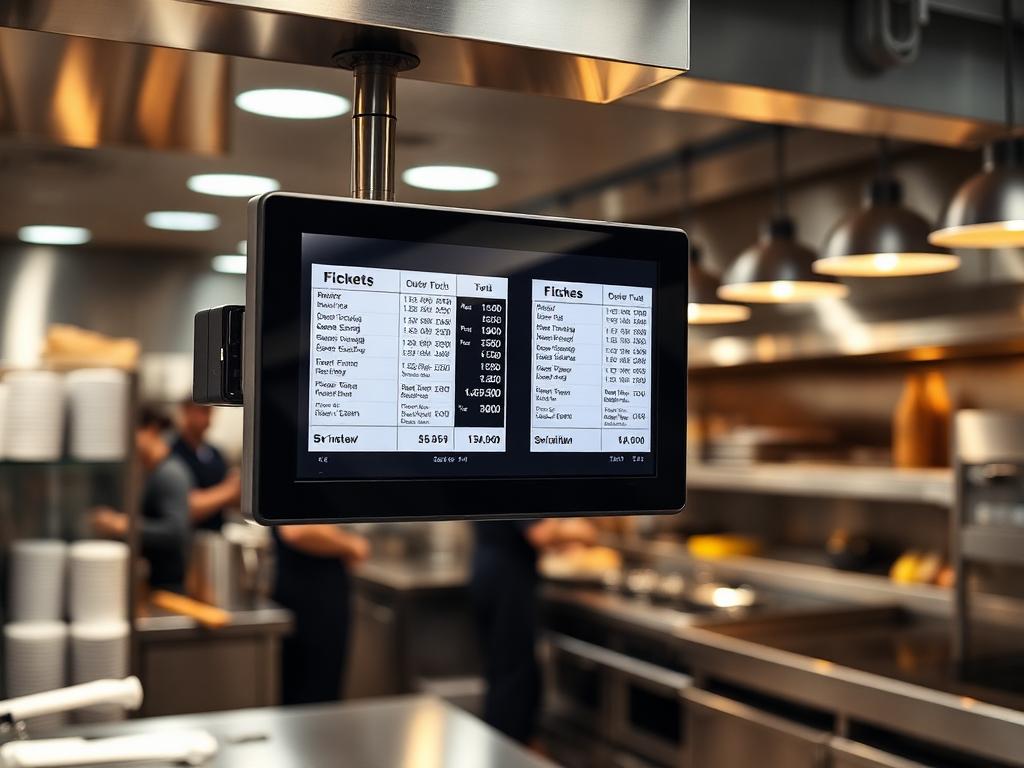
A kitchen display system for Micros Simphony or Micros 3700 is a digital menu board for the kitchen, designed to pass orders and information from the point-of-sale staff to the kitchen staff. This eliminates order errors and creates an organized, efficient business atmosphere in your restaurant kitchen.
In the past, orders were written on pads and given to the kitchen staff — a method that often got customers’ orders mixed up and disorganized. The Micros KDS routes orders directly to the kitchen monitor without requiring manual inputs from the kitchen or front-of-house staff. All you need to do is set the system according to your business workflow — for example, if online orders need manager approval before reaching the kitchen, you can configure that in the system’s settings.
Micros KDS can be customized to work according to the flow of your kitchen. The front-of-house staff can easily track the status of orders on the Micros POS device and relay the information to waiting customers. The Micros Kitchen Display System creates a perfect avenue for order management and quick service delivery.
Table Service
Built for restaurants, hotels, banquet rooms, bars, and multi-station venues.
Quick Service
Fast ordering, modifiers, tenders, and payments for counter-service teams.
Reporting & Analytics
Track sales, labor, inventory, and performance from one POS ecosystem.
Works For
Restaurants, hotels, bars, cafes, retail locations, and high-volume hospitality operators.
Integrations
Connect Opera PMS, HMS systems, ordering, loyalty, and payment tools.
Support
Upgrade, setup, and 24/7 support from Micros payment specialists.
Key Features
What Does the Micros Kitchen Display System Offer?
Micros KDS has features designed to create easy kitchen management and organized order workflows for restaurants using Micros 3700 or Micros Simphony.
Automatic Order Routing
Orders are immediately forwarded from POS to the kitchen and arranged by station — no manual handoff required. Each order reaches the right prep area automatically.
Order Status Tracking
Color-coded status indicators with order numbers help track order progress and delays. Ready orders are displayed on the status screen for front-of-house visibility.
Timekeeping & Alerts
Displays the time required for preparing each meal and alerts kitchen staff when orders are delayed — keeping your kitchen on schedule during busy periods.
Information Display
Comments, special requests, dietary notes, and other information included in the order are displayed on the kitchen monitors alongside the order details.
Order Synchronization
All orders are synchronized in real time between POS terminals and kitchen displays — ensuring that every station sees the same information at the same time.
Multiple Order Display
Displays multiple orders simultaneously on the kitchen monitor, organized in sequence so kitchen staff can manage preparation priorities efficiently.
Customizable Workflow
Configure the KDS to match your kitchen's specific workflow — route orders by station, set manager approvals for online orders, and prioritize by order type.
FOH & BOH Coordination
Bridges communication between front-of-house and kitchen staff. FOH can track order status on POS and give customers accurate wait-time estimates.
Delay Alerts
Automatic alerts notify kitchen staff and management when orders exceed expected preparation times — preventing bottlenecks and ensuring service quality.
Benefits
Benefits of Using a Micros Kitchen Display System
Organized Order Management
Orders are displayed in sequence on the kitchen monitor, ensuring every order is attended to in the right order — eliminating the chaos of handwritten tickets.
Reduce Kitchen Errors
Little or no order errors — digital order routing eliminates the mistakes that come with handwritten pads and verbal communication between FOH and kitchen.
Faster Service Delivery
Quick service delivery through streamlined order flow. Delivering the right orders to customers at the right time guarantees happy customers and repeat business.
Real-Time Order Visibility
Orders and transactions for the day can be easily tracked. Customers can be given the accurate status of their orders — improving trust and reducing complaints.
Better Kitchen Coordination
Kitchen employees work smarter, not harder. The KDS creates an organized work environment where every station knows exactly what to prepare and when.
Business Growth
Micros kitchen display systems not only simplify the ordering process but also play a major role in helping your restaurant grow to a higher level of efficiency and customer satisfaction.
Use Cases
Where Micros KDS Improves Kitchen Operations
Micros kitchen display systems are trusted in restaurant kitchens where order accuracy, speed, and coordination are essential for daily operations.
Full-Service Restaurants
Quick-Service & Fast Casual
Bars & Lounges
Hotel Kitchens
Catering Operations
Multi-Location Chains
Whether you run a busy fine-dining kitchen, a quick-service restaurant, or a multi-location chain, the Micros KDS adapts to your kitchen workflow. The system connects POS staff and kitchen staff seamlessly, organizing orders in an arrangement that ensures they are attended to in the right sequence.
The kitchen display system also helps alert kitchen staff if orders have been delayed, ensuring accountability and maintaining service standards even during peak hours. The features and benefits of a kitchen display system for Micros are effective across all types of food service operations.
Ready to move forward with Kitchen Display Systems?
Tell us about your current Micros setup and goals. We will recommend the right hardware, integrations, and support path for your business.
Hardware & Components
Related Micros Hardware & Systems
The Micros Kitchen Display System works alongside other Micros hardware to create a complete restaurant operations setup — from front-of-house POS terminals to back-of-house kitchen monitors.
System Components
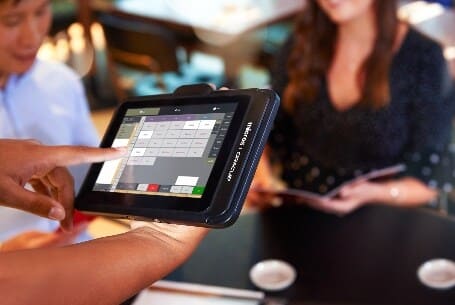
POS Terminals & Workstations
Micros 721P Mobile POS Workstation
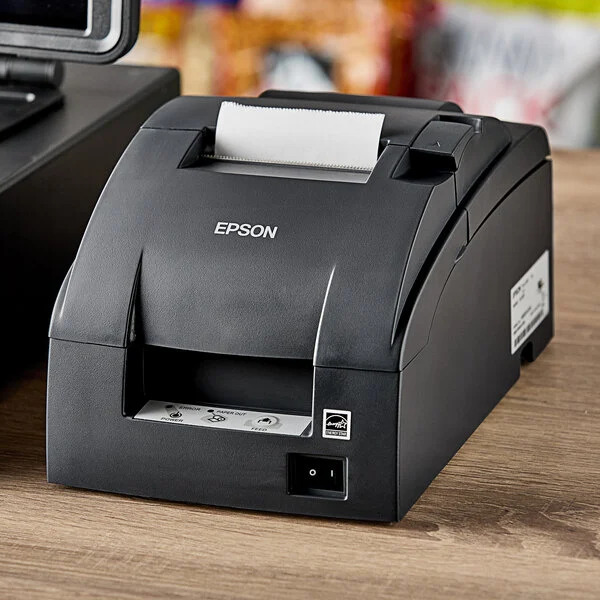
Printers & Cash Drawers
Micros Epson TM-U220 Remote Kitchen Printer
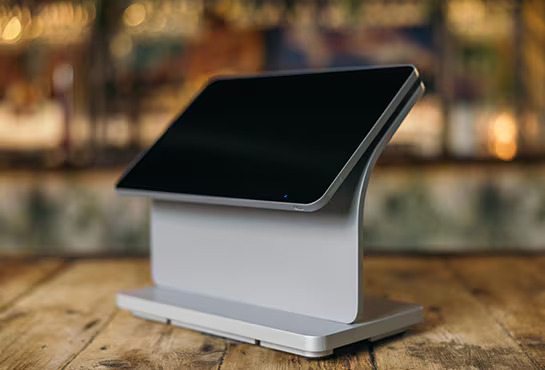
POS Terminals & Workstations
Micros Workstation 8 Series
In addition to the core system, the MICROS 9700 is compatible with handheld mobile devices, receipt printers, cash drawers, card readers, and wireless terminals. Contact us for a full hardware assessment tailored to your business type and environment.
Integrations
HMS & Oracle Integration for Kitchen Display Systems
Extend the power of your MICROS 9700 POS system with Oracle Hospitality integrations, HMS hotel system connectivity, and modern payment and ordering technologies.
Apple Pay & EMV
Accept Apple Pay, EMV chip, and contactless payments through integrated payment terminals for faster, secure transactions.
ExploreWireless Terminals
Support tableside payments and mobile checkout workflows with compatible wireless payment terminals.
ExploreKitchen Display Systems
Route orders to kitchen screens and prep stations to reduce ticket errors and improve speed of service.
Micros POS Support
Get help with Micros POS setup, payment issues, troubleshooting, training, and ongoing support.
ExploreSetup & Support
Free Installation, Training & 24/7 Support
At Micros Integrated Payments, we can get you the right kitchen display system for your kitchen — with professional setup, staff training, and ongoing technical support included.
Free Installation
On-site KDS installation and mounting — windowsills, ceiling, wall, or any preferred kitchen location. We handle hardware setup and system configuration.
Full Staff Training
Training for kitchen staff, line cooks, and FOH teams. The instructions are clear and easy to understand — anyone can use the KDS, from first-time cooks to seasoned chefs.
24/7 Technical Support
Round-the-clock phone, email, and on-site support. Our Micros specialists are available whenever you need help with your kitchen display system.
Volume Discounts
Competitive pricing with discounts based on the number of KDS monitors you need. Contact us for a tailored quote for your restaurant setup.
Trusted by 200,000+ Businesses Nationwide
Oracle Platinum Partner - Largest Micros-Exclusive Dealer - Full HMS Setup & Integration - 24/7 Support
FAQ
Frequently Asked Questions
What is a Micros Kitchen Display System?
Is the KDS compatible with Micros 3700 and Micros Simphony?
How does a kitchen display system improve order management?
Can a KDS help reduce kitchen errors?
How much does a Micros Kitchen Display System cost?
Is a Micros KDS easy to install and use?
What features does the Micros KDS have?
Can I request KDS pricing or a quote?
Reviews
What Our Clients Say About Us
Verified Google Reviews
Related Resources
Explore More Oracle Micros Solutions
Micros Oracle POS System
Overview of Oracle Micros POS solutions for hospitality and restaurant operations.
Read MoreSimphony Cloud POS
Cloud-based Oracle Simphony POS information for modern restaurant operations.
Read MoreBuy Micros POS
Browse Micros hardware, terminals, workstations, and compatible POS equipment.
Read MoreMicros Restaurant POS
Resource guide for restaurant POS workflows, hardware, and Oracle Micros setup.
Read MoreMicros RES 3700 POS
Resource page for legacy Micros RES 3700 systems and full-service dining.
Read MoreOracle Hospitality POS
Hospitality POS resource for hotels, bars, restaurants, and Oracle environments.
Read MoreMicros Hotel Management
Resource page for hotel management workflows connected to Oracle Micros systems.
Read MoreMicros Oracle Tablet
Tablet POS hardware information for mobile and flexible Micros workflows.
Read MoreGet a Quote
Upgrade Your Kitchen with a Micros KDS
Looking to add a kitchen display system to your Micros 3700 or Micros Simphony setup? Tell us about your restaurant, and our specialists will provide KDS pricing, installation details, and a tailored hardware quote.
Request KDS Pricing
Describe your Micros POS version and kitchen setup — we'll recommend the right KDS configuration and provide competitive pricing with free installation.
We typically respond within 24 hours. Your information is kept confidential.
Need help with your Micros POS? Talk to an expert today.