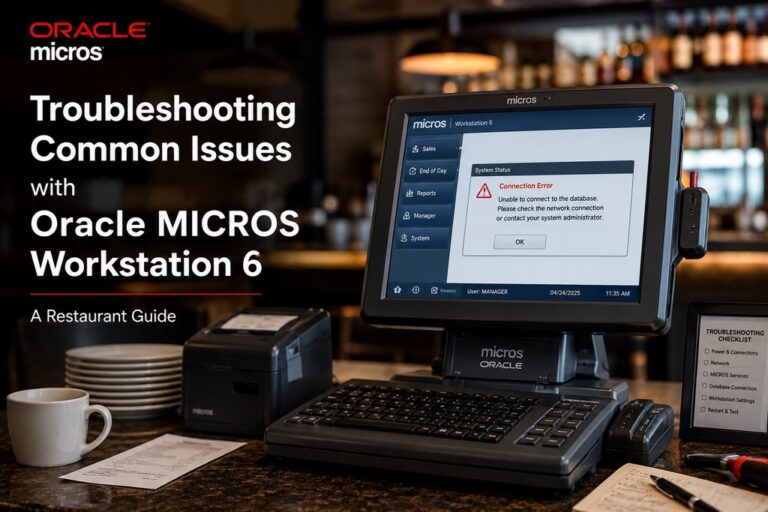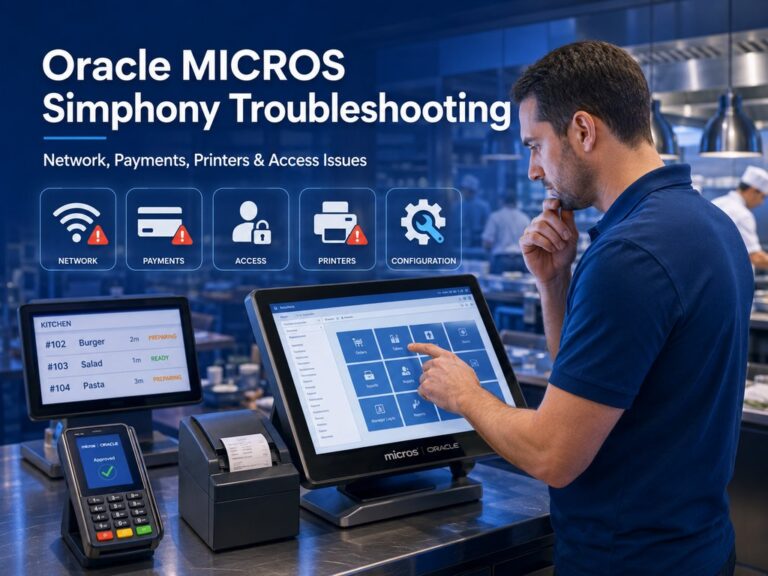

A broken MICROS terminal doesn’t automatically mean you need a full replacement. But it doesn’t mean repair is the smart move either. The right call usually comes down to five things: the terminal generation, the failure type, parts availability, software and OS support status, and the real cost of downtime at your restaurant.
“In the field, the wrong decision is rarely the repair itself. It’s losing two service days on a terminal that should have been replaced on day one. With older MICROS hardware, speed of recovery matters as much as the repair bill.” — Max Artemenko, POS Systems Expert & Product Architect, Shift4DinePartners.us
This guide is built for restaurants and bars in the U.S. still running older Oracle MICROS hardware with RES 3700 or Simphony. It’s not a troubleshooting article. It’s a decision article. The goal: help you figure out whether MICROS POS repair is worth it, whether a swap path is safer, or whether it’s time to move to newer hardware like Workstation 8 or a tablet-based setup.
Key Takeaways
- Repairing WS4 is almost never worth it. Treat it as a short-term continuity measure only.
- WS5A repair makes sense only as a bridge strategy — not a long-term bet.
- The hidden cost of old MICROS hardware isn’t breakdowns. It’s missing integrations. Your RES 3700 likely can’t connect to delivery apps, QR menus, or loyalty tools that run natively on cloud POS platforms.
- Windows Embedded Standard 7 support ended October 14, 2020. Windows 10 support ended October 14, 2025. Both dates apply to legacy MICROS generations in the field today.
- Advance Exchange beats Depot Repair when a terminal is revenue-critical and Friday dinner service can’t wait.
- Oracle Simphony Essentials starts at $55/month per terminal. That benchmark changes the repair-vs-replace math for most single-location operators.
What MICROS POS Repair Covers and Which Systems Are Still Serviceable
MICROS POS repair usually covers legacy workstation hardware that’s still physically recoverable and still makes operational sense to keep in service. In practice, serviceability depends less on brand name and more on generation, part availability, and software context.
For restaurants searching for micros pos repair, oracle micros 3700 support, or legacy micros support, the first question isn’t “Can someone touch this device?” The first question is “Does this device still belong in production after the repair?”
You can get technical support for your Micros POS before committing to a repair or replacement — a diagnostic step that often pays for itself.
Oracle’s own RES 3700 documentation confirms that legacy families — Workstation 4LX, Workstation 5, Workstation 5A, and in later compatibility context Workstation 6 — are recognized in supported device documentation for certain environments. Useful. But that’s not the same as saying every unit is easy to fix or worth fixing. Oracle’s documents are compatibility documents, not repair outcome studies.
“Oracle MICROS Workstation 5A uses Microsoft Windows Embedded POSReady 7, which is critical for evaluating long-term compatibility.” — Oracle Release Notes, 2026.
Source: https://docs.oracle.com/cd/E94131_01/doc.57/e95331.pdf
In practice, legacy MICROS repair falls into three operational buckets:
- Quick life-extension repair for a still-needed terminal.
- Bridge repair while replacement hardware is being staged.
- False-economy repair where the device comes back, but the restaurant loses more in downtime and repeat failures than it saves on the invoice.
That third category is where most operators get burned.
Common Workstation Generations in the Field
The main generations still showing up in restaurant environments are Workstation 4, Workstation 5A, Workstation 6, and newer Workstation 8. Their repair logic is different because age, OS dependency, and parts path are different.
Workstation 4 and Workstation 5A are firmly legacy devices. Workstation 6 is newer but often sits in an awkward middle ground: still in use, sometimes still practical, but old enough that replacement discussions are no longer theoretical. Workstation 8 is the current comparison point — it’s usually part of the “replace or upgrade” path, not the repair path.
A simple rule helps here: the older the workstation generation, the less you should think in terms of “permanent fix” and the more you should think in terms of “controlled extension.”
In one multi-terminal restaurant project, a failing legacy unit was kept alive with a short-term hardware path while the site prepared a staged terminal refresh. The goal wasn’t to overinvest in the old box. The result was service continuity during the transition and a cleaner cutover later. That’s usually the right mindset with aging MICROS fleets.
Worth noting: for older models like WS4 and WS5A, the parts market today consists predominantly of refurbished stock that shrinks every year. When a board fails mid-service, you’re often sourcing a part that’s just as old as the one that just died. That reality should factor into every repair decision.
If you’re already thinking about upgrading rather than repairing, see our guide to replacing Oracle Micros 3700 hardware for a structured migration path.
MICROS Workstation Generations: Repair and Replacement Overview
Model Typical failures Spare parts availability Recommended path
Workstation 4 Based on engineer experience: power, storage, input issues Primarily refurbished stock; availability shrinks yearly Repair only if needed as short-term continuity and parts path exists
Workstation 5A Touch/input, power, storage issues are most common in practice Not guaranteed; verify before approving repair; mostly used parts Repair for isolated failure only; avoid major investment
Workstation 6 Transitional legacy platform; similar failure modes Verify before repair; do not assume fast parts access Repair if isolated and business case is strong; otherwise compare replacement
Workstation 8 Current-generation replacement path Newer hardware path, not a legacy repair case Usually replacement or upgrade target
Oracle confirms supported device families in documentation but doesn’t publish quantified repairability or spare stock levels by model. Many operators assume “supported in software” means “easy to repair in hardware.” It doesn’t.
Sources: Oracle RES support notes — https://docs.oracle.com/cd/E94131_01/doc.57/e95331/h_supportandcompatibility.htm; Oracle MICROS Support FAQ — https://www.oracle.com/us/corporate/acquisitions/micros/micros-support-integration-cust-faq-2584632.pdf
If your current terminal is a poor repair candidate, consider upgrading to Micros Workstation 8 Series as a direct modern replacement.
Legacy MICROS RES and Oracle Support Context
Legacy MICROS support and Oracle MICROS 3700 support are related, but they’re not the same as unlimited hardware support. If you run RES 3700 or older Simphony configurations, repair decisions need to account for support contract reality, software compatibility, and whether the environment still relies on aging embedded Windows platforms.
Oracle’s support documentation helps set expectations. It lists supported devices and explains service behavior in some cases through CRU logic — meaning some failed parts or units are handled through replacement with a spare rather than bench-level component repair.
“If the failed part or whole unit is designated by Oracle as a Customer Replaceable Unit (CRU), then the customer is expected to be able to remove the failed part or whole unit and replace it with a good spare from Oracle.” — Oracle MICROS Support Integration Customer and Dealer FAQ.
Source: https://www.oracle.com/us/corporate/acquisitions/micros/micros-support-integration-cust-faq-2584632.pdf
That quote matters because it changes the repair conversation. If your service model is spare-dependent, then parts availability for your MICROS POS system becomes part of the decision — not an afterthought.
If a site is on RES 3700 and the terminal is old, repair may still be justified — but only if the terminal remains compatible, the failure is isolated, and the recovery path is faster than replacement planning. If any of those three conditions break, replacement starts looking safer.
The Most Common MICROS Hardware Failures
Most MICROS hardware failures fall into a few operational categories: touchscreen and input problems, power issues, and storage or boot failures. Based on our engineers’ field experience, the most frequent failure modes are touchscreen degradation and power supply issues — particularly on older WS4 and WS5A units. Storage failures are less common but carry the highest operational impact because they affect boot reliability directly.
Touchscreen and Input Problems
Touchscreen issues are often repairable when the rest of the terminal is stable. In the field, touch problems are the single most common category of complaints on aging MICROS workstations. If the unit boots normally, processes orders, and the problem is limited to touch accuracy, dead zones, or intermittent input, a micros touchscreen repair path can make sense.
Typical field symptoms include:
- touch drift
- dead spots on the screen
- delayed touch response
- phantom presses
- working display with failed touch layer
The key question is whether the display and input issue is isolated or whether it’s a symptom of broader motherboard or power instability. If the screen is acting up but the unit also reboots, freezes, or drops peripherals, the real issue may be deeper.
In one bar environment, front-counter staff reported a “bad touchscreen.” By separating input symptoms from system symptoms, the terminal was flagged not as a screen job but as a wider stability problem — which avoided paying for the wrong repair first. That saves time. And time is the real cost.
Power and Storage Failures
Power and storage failures are more serious because they affect boot reliability and service continuity. If a MICROS terminal doesn’t power on, power-cycles, shuts down under load, or hangs during boot, the issue may involve the power supply, internal storage, or both.
A power supply failure usually shows up as:
- no power at all
- unstable startup
- intermittent shutdowns
- failure after outlet and cabling have already been ruled out
A storage failure usually shows up as:
- boot loops
- corrupted startup
- unusually slow operation before failure
- OS loading errors
- inability to stay stable after boot
The business meaning is simple. Input problems are often annoying. Power and storage problems are often operationally critical.
That changes the repair threshold. A one-off power issue on a still-relevant terminal may be worth fixing. But repeated boot or storage problems on a legacy unit usually push the answer toward replacement — especially when the OS is old and the device is already near end of practical life.
How to Decide Between Repair, Replacement, and Upgrade
The repair-vs-replace decision should be made with a structured framework, not gut feeling. The core inputs are age, failure type, spare parts availability, software and OS support, and the cost of downtime at your location.
This is where many restaurants lose money. They compare repair invoice vs new hardware quote, but they ignore repeat failure risk, unsupported OS exposure, and lost sales during downtime. That’s the hidden cost of holding on too long.
Two hard lifecycle dates matter here:
“Windows Embedded Standard 7 … Extended End Date … 10/14/2020” — Microsoft Lifecycle.
Source: https://learn.microsoft.com/en-us/lifecycle/products/windows-embedded-standard-7
Additionally, Microsoft ended Windows 10 support on October 14, 2025. This puts more recent legacy devices — including some Workstation 6 configurations that ran Windows 10 IoT — into the same risk category. If a terminal depends on either of these platforms, the risk profile changes materially. Security exposure grows. Supportability narrows. Recovery options shrink.
For guidance on what comes after repair, the Oracle Micros 3700 replacement guide covers the full upgrade path — including what to validate before moving hardware.
When Repair Usually Makes Sense
Repair usually makes sense when the failure is isolated, the terminal is still compatible with your RES 3700 or Simphony environment, and the part or exchange path is available fast enough to avoid major downtime.
Good repair candidates usually look like this:
- one terminal failed, not a pattern across the fleet
- the failure is isolated to touch, power brick, or storage component
- the restaurant has a backup lane or fallback station
- the unit still fits the current software environment
- the repair extends useful life long enough to justify the effort
- depot repair or exchange is available without disrupting peak service
A micros workstation repair vs replace decision leans toward repair when the repair is tactical and time-bounded. Think six months of useful life extension. Think bridge strategy. Not “let’s bet the next two years on a terminal from another era.”
“Supported device documentation tells you a unit may still work with the software. It does not tell you the unit is still a good operating asset.” — Max Artemenko, Shift4DinePartners.us
When Replacement or Upgrade Is the Safer Move
Replacement or upgrade is usually safer when failures repeat, parts are hard to source, the OS is past support, or the device is old enough that every repair becomes a temporary patch.
The cleanest “replace it” list:
- the same terminal has failed more than once in a short period
- the unit runs an unsupported embedded Windows platform (Windows Embedded 7 or Windows 10)
- the needed part is uncertain or backordered
- the restaurant can’t tolerate downtime during dinner rush
- the device is old enough that repair only delays another failure
- software migration or terminal refresh is already on the roadmap
For legacy micros hardware when to upgrade, unsupported OS is often the tie-breaker. Microsoft’s lifecycle data isn’t a theory. It’s a hard date. If your terminal’s software stack depends on an OS whose extended support ended years ago, the repair question is no longer only about hardware.
The Hidden Cost: Missing Cloud Integrations
Even if your terminal can be repaired, that’s not the whole calculation. The RES 3700 ecosystem was built before cloud-native restaurant tools existed. Open the integrations page of any modern ordering or delivery platform — Toast, Square, Clover are listed everywhere. RES 3700 almost never appears. When it does, the connection runs through extra middleware with its own cost and its own failure modes.
That gap shows up in one of two ways. Either you skip the channel entirely — and those orders go to the restaurant down the street that didn’t skip it — or your staff re-types every ticket from a side tablet into the terminal during the rush. Both options cost money. The terminal just bills you in missed orders and manual errors rather than on an invoice.
Modern ordering, delivery, loyalty, QR menus, and guest tools are built for cloud POS systems. Repairing a terminal that can’t join those channels solves a hardware problem while leaving the revenue problem untouched.
If the cost of missing integrations is significant for your operation, that total should be part of the repair-vs-replace math — not a footnote.
Repair vs Replace vs Upgrade: Decision Factors
Decision factor Repair Replace Upgrade
Failure is isolated Strong fit Possible Usually not necessary yet
Repeated failures Weak fit Strong fit Strong fit
Parts availability is clear Strong fit Possible Possible
Parts availability is uncertain or only refurbished Weak fit Strong fit Strong fit
OS still supportable Better case Neutral Neutral
Windows Embedded 7 or Windows 10 EOL risk Weak fit Strong fit Strong fit
Missing cloud/delivery integrations Weak fit Strong fit Strong fit
Cost of downtime is high Exchange only, if fast Strong fit Strong fit
RES 3700 or Simphony compatibility requires planning Conditional Conditional Strong if staged properly
Decision tree (alt: micros workstation repair vs replace):
- Identify the terminal generation.
- Confirm whether the failure is isolated or recurring.
- Verify spare parts availability or exchange path (note: WS4/WS5A parts are mostly refurbished).
- Check OS lifecycle and software support context.
- Estimate cost of downtime for that station.
- Assess what integrations (delivery, online ordering, loyalty) the terminal can’t support.
- Choose repair only if recovery is fast, useful life remains practical, and integration gaps are acceptable.
- Choose replacement or upgrade if risk is compounding or revenue channels are being blocked.
Replacement Pricing Benchmarks: What Does “Replace” Actually Cost?
Many operators compare repair invoices to replacement cost in the abstract. Having a concrete benchmark changes the math.
Oracle’s current replacement path is Oracle Simphony. Simphony Essentials starts at $55 per terminal per month. Simphony Plus, designed for multi-location and franchise operators, starts at $75 per terminal per month. Oracle has also run promotional switch offers including hardware for $1 per device for operators migrating from legacy systems.
Treat those numbers as starting points. Installation, training, support contracts, and payment processing fees sit on top of the software subscription. For a basic single-location setup, independent market data shows installation and initial configuration ranging from $500 to $8,000 depending on complexity.
If Simphony’s feature depth feels like more than a small operation needs, modern alternatives provide a useful comparison:
- Toast — software starts at $0/month for basic functionality; processing fees apply.
- Square — free software with transaction-only pricing starting at 2.6% + $0.10.
- Clover — starts at $29.99/month with hardware included, in exchange for a processing commitment.
These alternatives integrate natively with modern delivery apps, loyalty platforms, and QR ordering tools. The integration gap that exists on legacy MICROS doesn’t exist on these platforms.
For operators already committed to Oracle’s ecosystem, the Workstation 8 is the current-generation hardware upgrade path. Market reseller data puts Workstation 8 pricing at approximately $1,800–$2,200 per unit, with 14-inch FHD touchscreen, Intel Celeron J6413, 8 GB RAM, and support for Windows 10 IoT or Oracle Linux. Oracle’s promotional hardware pricing may differ when bundled with a Simphony subscription agreement.
Note: Prices listed here reflect publicly available market data as of 2025–2026 and are subject to change. Confirm current pricing directly with Oracle or an authorized reseller before making purchasing decisions.
If your current hardware evaluation points toward the Workstation 8 as the upgrade target, see the full Micros Workstation 8 Series overview for specifications and availability.
Model-Specific Considerations for Workstation 5A, 6, and 8
Model matters because not all legacy MICROS hardware deserves the same decision path. Workstation 5A often fits short-term repair logic, Workstation 6 sits in the middle, and Workstation 8 is usually the replacement target rather than the repair subject.
Oracle’s documentation explicitly ties Workstation 5A to Windows Embedded POSReady 7 in the support notes. Old hardware plus aging embedded Windows means increasing support risk over time — that’s an important detail, not a footnote. Source: https://docs.oracle.com/cd/E94131_01/doc.57/e95331.pdf
Workstation 5A Repair: Where It Still Makes Sense
Oracle confirms that the Workstation 5A runs Microsoft Windows Embedded POSReady 7 — the same OS family whose extended support ended in October 2020. That context must inform every WS5A repair decision.
Micros Workstation 5A repair still makes sense when the goal is controlled life extension, not long-term dependency. If the failure is isolated and the site needs a bridge period, a 5A repair can be justified.
A good 5A repair case usually means:
- single unit failure
- site still stable on current software
- replacement project not ready yet
- parts or exchange path available (understanding parts are likely refurbished)
- terminal needed to survive a limited window
A bad 5A repair case usually means:
- multiple aging units in the same store
- unstable boot behavior
- unsupported OS risk already causing operational concern
- no confidence in parts path
- no backup terminal during repair turnaround
In one legacy restaurant environment, a single terminal was kept in rotation only long enough to get through a planned hardware transition. The repair scope was deliberately limited. The result was service continuity without pretending the 5A was a long-term foundation. That’s the right use case.
Workstation 6 Replacement and Transition Planning
Micros Workstation 6 replacement often becomes the smarter move when the site wants continuity without gambling on older hardware. Workstation 6 isn’t as old as earlier legacy lines, but many restaurants now treat it as a transition platform.
Note that some Workstation 6 configurations ran Windows 10 IoT, which reached end of support on October 14, 2025. That date puts WS6 deployments on Windows 10 in the same security risk category as earlier generations on Windows 7 Embedded.
The replacement question isn’t “Is Workstation 6 unusable?” It’s “Does another repair still make operational sense compared with moving to a newer terminal or tablet strategy?”
Oracle’s Workstation 8 is positioned as the current-generation replacement: 14-inch FHD touchscreen, Intel Celeron J6413, 8 GB RAM, 128/256 GB SSD, and current platform options including Windows 10 IoT or Oracle Linux. For operators moving to a newer terminal, see Micros Workstation 8 Series.
If a Workstation 6 repair still leaves the site on shaky hardware with no clean spare strategy, replacement planning usually wins.
If a full terminal replacement feels premature, another option worth evaluating is wireless handheld terminals — tablet-based order entry devices that integrate with Simphony or RES 3700 and reduce dependency on aging fixed workstations without requiring a full system migration.
Parts Availability and Service Options for Legacy MICROS Systems
Parts availability is often the factor that decides the whole case. A repair is only as real as the actual path to a working spare part, depot repair, or exchange unit.
This is where many owners get stuck. The terminal may be technically repairable, but that doesn’t mean the right parts are easy to source within an acceptable timeframe.
Oracle’s own support FAQ supports a spare-based model through CRU handling — which aligns more with swap, depot, or exchange logic than with unlimited component-level bench repair for every legacy unit.
“If the failed part or whole unit is designated by Oracle as a Customer Replaceable Unit (CRU), then the customer is expected to be able to remove the failed part or whole unit and replace it with a good spare from Oracle.” — Oracle MICROS Support Integration Customer and Dealer FAQ, 2026.
Source: https://www.oracle.com/us/corporate/acquisitions/micros/micros-support-integration-cust-faq-2584632.pdf
For older models like WS4 and WS5A, the available spare-parts pool consists predominantly of refurbished stock that shrinks every year. When a board fails mid-service on one of these units, the replacement part is often just as old as the one that failed. That reality matters when approving a repair investment.
Depot Repair vs Advance Exchange
Depot repair usually costs less upfront but takes longer. Advance exchange usually reduces downtime but depends on spare inventory and fit with your environment.
Based on typical service patterns in the field, depot repair turnaround usually runs 5–10 business days depending on the failure type, parts availability, and queue. Advance exchange, when available, can restore a working terminal to your site in 1–3 business days — often before a busy weekend shift is affected.
Use depot repair when:
- the failed unit is not operationally critical
- you have a backup terminal
- you can tolerate turnaround time
- the repair is worth attempting before buying replacement hardware
Use advance exchange when:
- the failed terminal is critical to service flow
- your bar or restaurant has no real spare capacity
- the cost of downtime is higher than the exchange premium
- speed matters more than squeezing the lowest invoice
If Friday dinner service depends on that terminal, waiting on depot repair is often false savings. It costs less on paper. It doesn’t always cost less in the business.
“Max has been a godsend to me as a small business owner. He is experienced in all facets of merchant processing. This time specifically was a replacement for a handheld device. As always, Max, thanks for your support.” — Client review, Shift4DinePartners.us
Using Refurbished Units as a Bridge Strategy
Refurbished units can be a practical bridge when you need continuity fast and a full hardware refresh isn’t ready yet. They’re not always the final answer, but they can be the right temporary answer.
Good uses for refurbished units:
- emergency replacement while the original unit is repaired
- temporary fleet stabilization during phased upgrade
- short extension of a legacy RES 3700 environment
- backup inventory for high-risk terminals
The risk is simple. A refurbished legacy terminal still belongs to the same aging hardware generation. It solves continuity. It doesn’t erase lifecycle pressure. And if the parts pool is already shrinking, the refurbished unit you buy today may itself become difficult to support in 12–18 months.
Support, Compatibility, and Software Lifecycle Risks
Support status and compatibility aren’t side issues. They’re central to the repair decision. A terminal can be repairable in hardware and still be a poor asset because the software stack under it is losing support or becoming harder to maintain.
This is especially true for micros support, oracle micros 3700 support, and legacy micros support searches. Many operators are really asking a bigger question: can this environment still be kept stable without compounding risk?
Oracle MICROS 3700 Support and Legacy Support Realities
Oracle MICROS 3700 support in practice means compatibility-aware maintenance, not a blanket promise that every old workstation is worth saving. Legacy support reality is narrower than many operators expect.
Oracle documentation helps in two ways:
- It confirms supported hardware families in specific software contexts.
- It clarifies that some support flows depend on CRU or spare-based handling.
It doesn’t promise universal parts availability or permanent repairability for all legacy devices.
Fact check — three things operators often get wrong:
- Hardware repair is not the same as full vendor support. A third-party technician can open the box; that doesn’t mean Oracle backs the outcome.
- Parts availability is not guaranteed for every legacy unit — and for older models, it’s predominantly refurbished stock with no shelf-life guarantee.
- OS end of support does materially change operational risk. Windows Embedded Standard 7 ended October 14, 2020. Windows 10 ended October 14, 2025. These aren’t soft deadlines — they’re the dates after which security patches stop and compliance exposure starts.
Sources: Oracle support documentation — https://docs.oracle.com/cd/E94131_01/doc.57/e95331/h_supportandcompatibility.htm; Oracle FAQ — https://www.oracle.com/us/corporate/acquisitions/micros/micros-support-integration-cust-faq-2584632.pdf; Microsoft lifecycle — https://learn.microsoft.com/en-us/lifecycle/products/windows-embedded-standard-7
RES 3700 and Simphony Compatibility During Repair Planning
RES 3700 and Simphony compatibility should be checked before approving repair, replacement, or exchange. A working terminal that doesn’t align cleanly with the software environment isn’t a win.
Before swapping hardware, confirm:
- terminal generation
- OS dependency
- client licensing context
- peripheral compatibility
- deployment role in RES 3700 or Simphony
- whether the replacement unit is a like-for-like stopgap or part of an upgrade path
In projects involving old MICROS fleets, the most expensive mistakes are often compatibility mistakes, not hardware mistakes. A terminal arrives fast, but doesn’t fit the live environment cleanly. Validate compatibility before the physical move. That step prevents expensive surprises during service.
“Max demonstrated strong technical knowledge, which greatly contributed to the successful transition to the new system Shift4. His ability to grasp and effectively explain technical details to me and my staff was impressive.” — Client review, Shift4DinePartners.us
How to Reduce Downtime During MICROS POS Repair
The best way to reduce downtime is to plan before a full failure happens. If your site depends on one or two critical terminals during peak hours, you should already know which units are fragile, what the fallback path is, and whether depot repair or exchange is the right service model.
Pre-Failure Planning for Critical Terminals
Don’t wait until the terminal dies in the middle of dinner service. Critical terminals should have a pre-failure plan in place before they become urgent.
Prioritize:
- host stand terminals
- busiest bar stations
- cashier stations with no nearby fallback
- kitchen-adjacent order entry points that choke service when offline
A pre-failure plan means:
- identify model and generation now
- record software environment now
- flag unsupported OS risk now
- line up support contact and service path now
- stage backup hardware if the station is revenue-critical
One of the recurring patterns in the field: operators wait because the terminal still “mostly works.” Then it fails on a peak shift. Then every option becomes more expensive. I’ve seen this play out more times than I’d like to count — and it’s always avoidable.
“Max and his team are great. Our business has used his company for years and have been very satisfied. He is very honest, responsive and reliable!” — Client review, Shift4DinePartners.us
Don’t wait until it fails.
What to Prepare Before Sending a Unit for Repair
Don’t send a terminal before doing the operational groundwork. The unit is only one part of the service problem. Getting the preparation right shortens turnaround, avoids compatibility surprises, and forces the honest question: is this repair worth starting at all?
Use this pre-repair checklist:
- Identify whether the unit is Workstation 4, Workstation 5A, Workstation 6, or another model
- Document the exact failure type
- Confirm whether the failure is isolated or recurring
- Check current support context and software environment
- Verify OS lifecycle risk (Windows Embedded Standard 7 EOL: October 14, 2020; Windows 10 EOL: October 14, 2025)
- Confirm parts path, depot repair path, or advance exchange option
- Validate RES 3700 or Simphony compatibility for any replacement unit
- Prepare a fallback terminal or temporary service workflow
- Decide in advance at what point repair will be abandoned in favor of replacement
This checklist belongs before the repair decision, not after.
Ready to Repair or Replace? Next Steps
The team at Shift4DinePartners specializes in Oracle Hospitality support and hardware modernization. Whether you need an emergency advance exchange, a pre-failure audit, or a staged migration to Simphony or a modern cloud POS alternative, we’ve managed that transition for restaurants across every major configuration.
“Max and his team professionally handled the replacement of mobile devices and ensured a smooth transition to the new system.” — Client review, Shift4DinePartners.us
If you’re weighing whether to repair your current terminal or move to a modern Micros POS solution with contactless payment support, we can help you run the honest math — hardware cost, downtime exposure, integration gaps, and total cost of ownership — before you make the call.
Contact us for a system audit if you’re unsure whether your repair is a real fix or a delay.
Disclaimer: This guide is for operational decision support and does not replace vendor, integrator, or IT consultation for your specific RES 3700 or Simphony environment. Compatibility, licensing, and support status should be confirmed before hardware changes. Pricing information reflects publicly available market data as of 2025–2026 and is subject to change. Decisions regarding repair or replacement should be based on a technical audit of your specific installation.
FAQ
FAQ About MICROS POS Repair
Can older MICROS terminals still be repaired if OEM support is limited?
Yes, older terminals can still be repaired in some cases, but limited OEM support changes the economics and the risk. The practical issue isn’t just whether a technician can work on the unit. It’s whether spare parts availability, compatibility, and turnaround still make the repair worthwhile. Oracle’s own documentation supports a spare-dependent support model for some cases through CRU handling. That means older micros pos repair cases often depend on whether a viable exchange or parts path exists — and for WS4 and WS5A, that path is predominantly refurbished stock. Source: https://www.oracle.com/us/corporate/acquisitions/micros/micros-support-integration-cust-faq-2584632.pdf
Is advance exchange better than waiting for depot repair?
Advance exchange is usually better when the terminal is revenue-critical and downtime is expensive. Depot repair is usually acceptable when the store has a backup station and can tolerate slower turnaround. In practice: depot repair typically runs 5–10 business days; advance exchange can return a working unit in 1–3 business days. The answer depends on cost of downtime, not just repair price. If one dead terminal slows the whole floor, exchange usually wins.
Are refurbished units a good temporary replacement option?
Yes, refurbished units can be a good temporary replacement option when used as a bridge. They work best for continuity, staged upgrades, and short-term protection of a legacy environment. They’re less effective as a long-term strategy if the broader issue is aging hardware, unsupported OS risk, or repeated failures across the fleet. A refurbished WS4 or WS5A still belongs to the same generation with the same lifecycle pressure.
What does it actually cost to switch from legacy MICROS to Simphony?
Oracle Simphony Essentials starts at $55 per terminal per month. Simphony Plus starts at $75 per terminal per month for multi-location and franchise operators. Oracle has offered promotional hardware pricing of $1 per device for operators migrating from legacy systems. Installation and initial setup typically runs $500–$8,000 depending on complexity. Payment processing fees are separate and quoted per contract. For operators with one or two locations, the total cost of migration is often comparable to — or less than — one to two years of repair invoices and operational losses from missing integrations.
What integrations does legacy MICROS RES 3700 not support?
The RES 3700 was built before cloud-native restaurant tools existed. In practice, it’s rarely listed as a supported integration on modern delivery platforms, loyalty programs, or QR ordering tools. When connections do exist, they typically run through third-party middleware with additional fees and failure points. Cloud POS platforms — including Oracle Simphony, Toast, Square, and Clover — integrate natively with these channels. The revenue gap from missing those integrations should be part of any honest repair-vs-replace calculation.
Practical closing point: if the terminal is old, the OS is out of support, and the unit is already disrupting service, the question isn’t whether repair is possible. The question is whether another repair still makes business sense — and whether the channels you’re currently unable to access are costing more than the hardware itself. If the unit has a clean, isolated failure and a fast parts or exchange path, repair can be the right move. If the terminal is stacking age, support risk, repeated instability, and integration gaps, replacement is usually cheaper than it looks once lost service time is included.